Dynamic text, images & links
DCO (aka Dynamic Creative Optimization) lets you customize parts of a creative using dynamic values based on the user's approximate location .
Once your catalog has been imported, you can use the DCO access to Dynamic carousels in your Collective Audience workspace. But not only !
With your integration activated, go to any creative you want customized based on users approximate geolocation.
Click the Set integration up button

On the box that just appeared, click on Add BeOp DCO

Pick one of your Databases

You'll be able to see and copy the different columns available
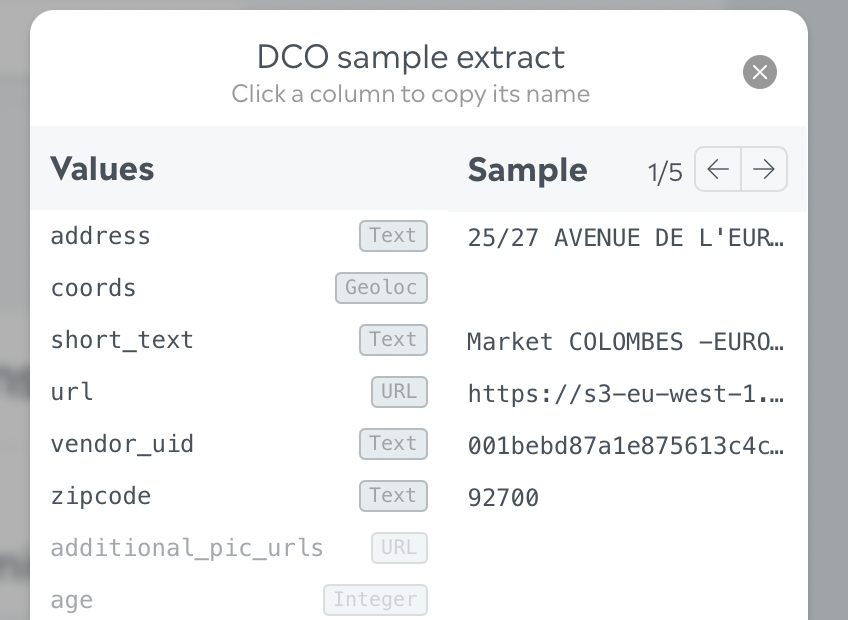
In your creative, you can configure:
Texts & Exit links:

There is a special syntax to enable dynamisation:
DCO_{{ID}}|DEFAULT_VALUE
For instance, if I have a dynamic field identified by
product_namethat should default toHello world!:
DCO_product_name|Hello world!
Media:
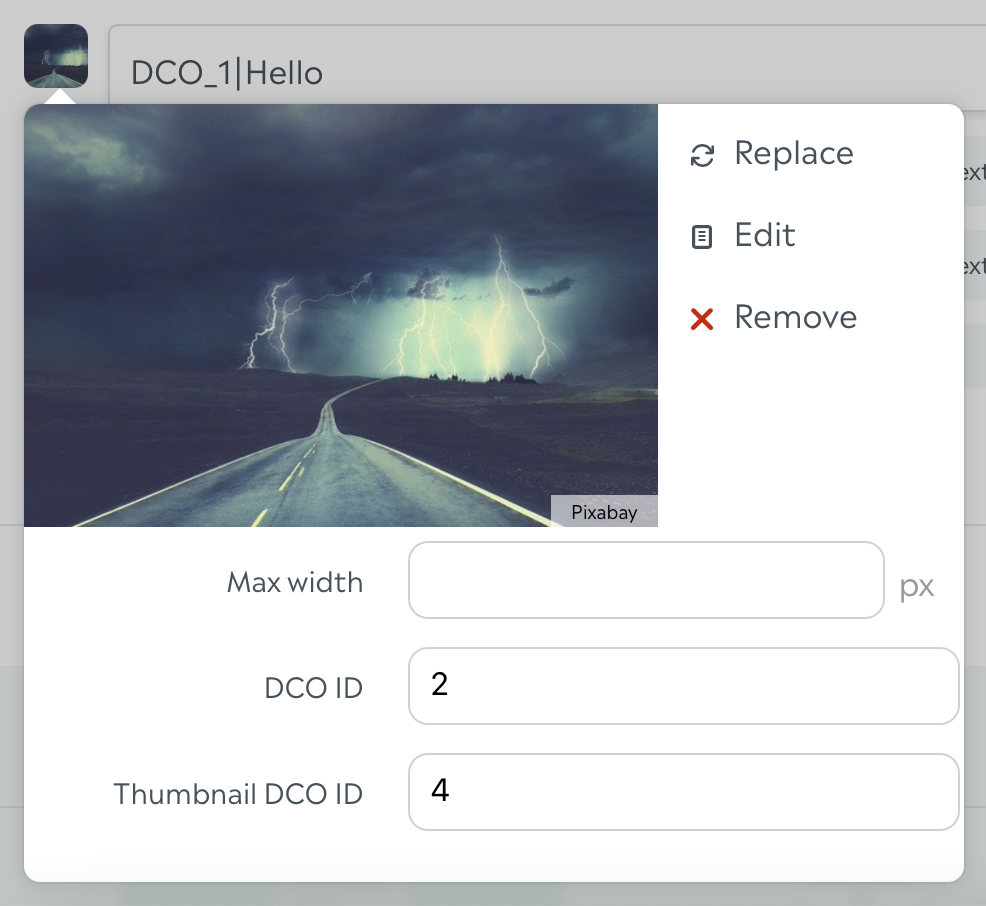
For media, you can find the DCO ID and Thumbnail DCO ID in the dropdown once you've uploaded your default media.
You're all set, you'll have customized parts in your creative!