Import your catalog
Dynamic creatives
Collective Audience™ allows you to create automatic dynamic carousels from your very own product catalog.
Our system will find the most relevant items for a given context, for instance:
showing the closest stores that sell your products
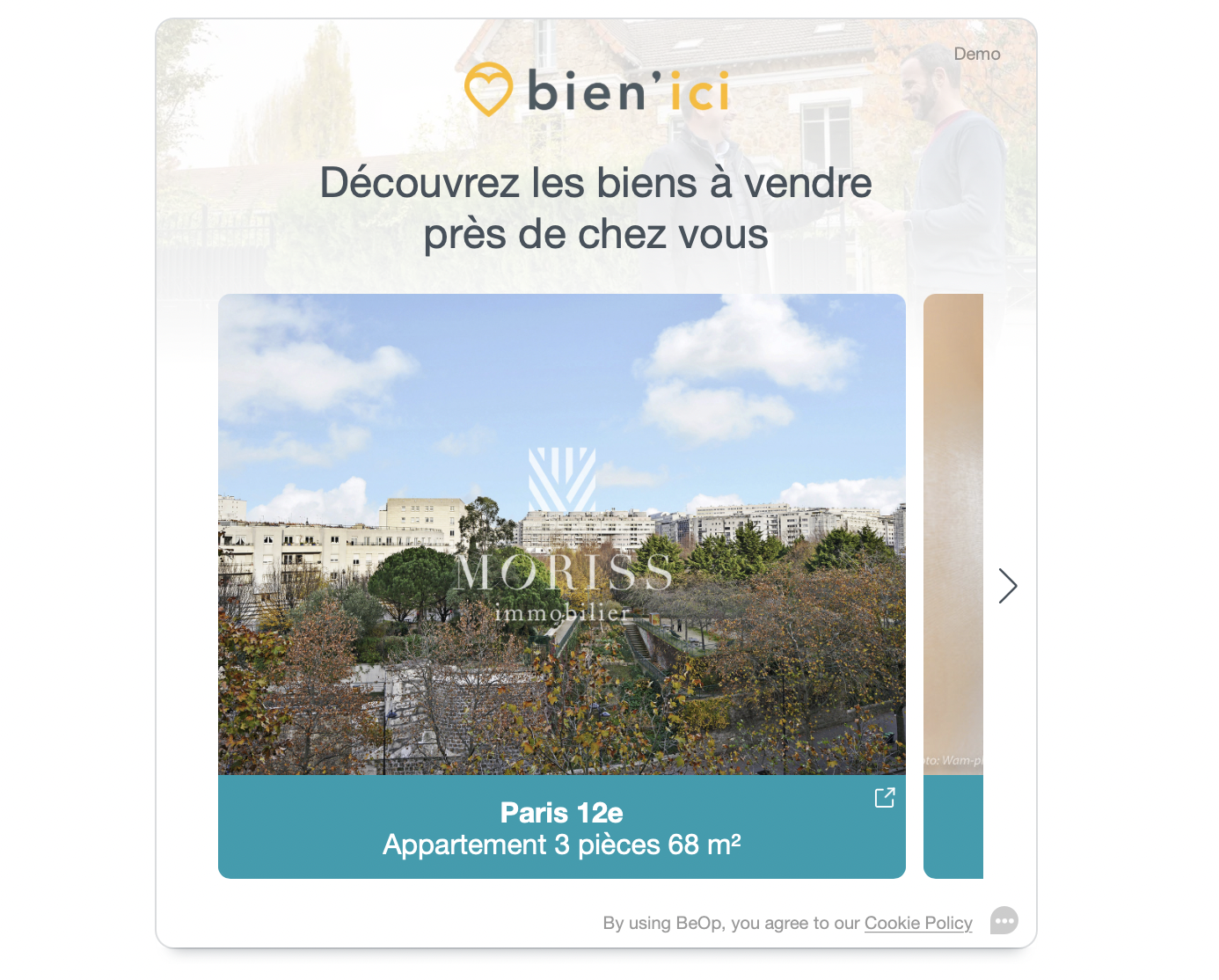
showing properties to sell closest to the user
Here, you can see an example where a real-estate dealer is showing the closest available properties to users:
As we're filtering and sorting product by relevancy to the user, we need access to your product catalog.
In order to guarantee the user-experience and speed, we need to store the catalog in our optimized databases.
We're able to import your catalog from the following formats:
Recommended: CSV (e.g. a database or spreadsheet export)
XML (e.g. your RSS feed)
Importing your catalog in the platform
Get in touch with us at [email protected].
In this email please provide:
your Collective Audience™ account ID (you can find it in Audience Desk™ navigation menu).
your XML or CSV file, as an attachment or a link (attachments are limited to 25MB)
Template
You can download our CSV template to get a starting point.
caution: This CSV use semicolon separator (
;) for convenience and to avoid conflicts with columns that may contain lists
Supported columns
column | type | required | comment |
|---|---|---|---|
| string | ✔ | The item identifier, it MUST BE UNIQUE (200 characters max) |
| string | ✔ | The item name, it MUST BE PROVIDED but do not need to be unique (250 characters max) |
| string | A short item description (500 characters max) | |
| string | A complete item description (no limit) | |
| string | The prices currency using ISO 4217 (3 characters) | |
| float | The item price (in the currency, e.g. in EUR or USD) | |
| date | The item price availability start date | |
| date | The item price availability end date | |
| float | The item discount price | |
| date | The item discount price start date | |
| date | The item discount price end date | |
| float | Location latitude of the item | |
| float | Location longitude of the item | |
| string | Comma separated list of categories (500 characters max) | |
| string | Seller name (100 characters max) | |
| string | Brand name (100 characters max) | |
| String | URL of the item (1000 characters max) | |
| string | Small item image URL (1000 characters max) | |
| string | Medium item image URL (1000 characters max) | |
| string | Large item image URL (1000 characters max) | |
| string | list of item image URLs (no limit) | |
| integer | Count of actual item stock | |
| enum | Any value among | |
| integer | Item age | |
| string | Any value representing a user rating (20 characters max) | |
| string | Item location address (500 characters max) | |
| string | Item location zipcode (20 characters max) | |
| string | Item location city (100 characters max) | |
| string | Item location country (100 characters max) |
note: You may add up to 5 custom columns of type
string,number,integerorboolean
Types information:
string: any UTF8 characters escaped between double brackets"like"some text"date: a UTC readable date format like:2021-01-15T10:00:00Zor2021-01-15number: decimal value like1234567.89or an integer like1234integer: integer value like1234boolean: unquoted string valuetrueorfalseenum: like string but restricted to certain values
Using your catalog
Once your catalog is ready, you can start creating dynamic carousels (→ dynamic-carousel) on the platform!